
AI Chatbot Plugin for WordPress
SAPACHAT
AI Chatbot, enriched with your knowledge
How does it work?
Free AI and Worry free maintenance.
Never worry about your chatbot going silent because a free AI provider is too busy.
Train WordPress with your knowledge
Install the SapaChat plugin, point it to your content (or let it read your site), and let it run
Your Data, Fully Isolated
Every tenant's knowledge base is completely separated and secured. No cross-access, no shared training data — ever.
What you get..
Truly multilingual
Accepts questions and answers in 65 languages.
Instant
When you add or change the data in the knowledge files, changes are there immediatly. No waiting untill search engine bots visit your site.
Your knowledge is safe.
Your content is never shared with other SapaChat users and is never ingested or used to train any AI models.
Grow path
You can start with the standard connection to free AI systems . If need be we can upscale to package (any API key) from any AI provider.
Both this, and the space for your own knowledge files will grow with you if needed.
SapaChat is not just a chatbot, but a complete, secure and self-managed AI system for your WordPress website.
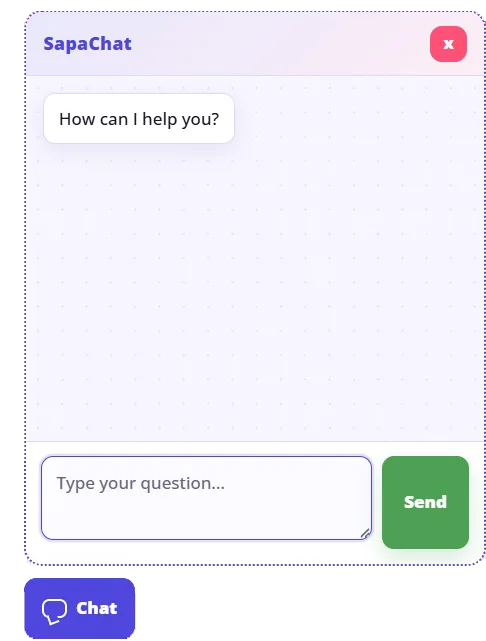
- The Chatbot Widget: Easily place a chatbot window on your website, allowing visitors to instantly ask all their questions in over 65 languages.
- Custom Knowledge Base & Files: In the management dashboard, you can create your own fully secure, isolated knowledge base. You can easily upload your own information files with no cross-pollination or shared training data; your data remains strictly yours.
- Designing AI Agents: Flawlessly customise the bot's behaviour and identity by setting up AI Agents. Through a description, you determine precisely what the chatbot should do and how it behaves.
- Insights via Statistics: In the built-in statistics page, you can view interactions and the size of the knowledge base used.
- Document Converters: The better the files you upload to the knowledge base, the better the answers. Therefore, as an extra service, you will find handy converters in the admin area to directly optimise ODT, TXT, RTF and CSV files for use in SapaChat.